Product Gallery
Show the product from every useful angle. Thumbnail navigation and an expanded image viewer, built for detail pages and collections.
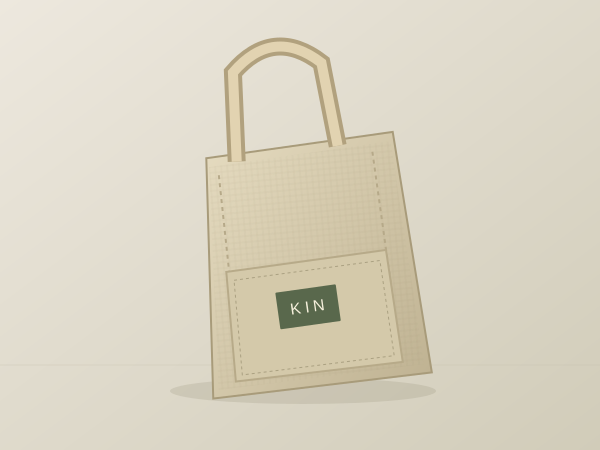
KIN / EDITION 01 · NATURAL CANVAS
The Everyday Tote
'use client';

import { useEffect, useId, useRef, useState } from 'react';
import type { KeyboardEvent } from 'react';
import './product-gallery.css';

export interface ProductGalleryItem {
  id: string;
  src: string;
  alt: string;
  caption?: string;
  thumbnail?: string;
}

export interface ProductGalleryProps {
  items: ProductGalleryItem[];
  title?: string;
  defaultValue?: string;
  onValueChange?: (id: string) => void;
  className?: string;
}

/** A manual product image gallery with thumbnails and a native image viewer. */
export function ProductGallery({ items, title = 'A closer look', defaultValue, onValueChange, className = '' }: ProductGalleryProps) {
  const [value, setValue] = useState(defaultValue ?? items[0]?.id ?? '');
  const [expanded, setExpanded] = useState(false);
  const viewer = useRef<HTMLDialogElement>(null);
  const opener = useRef<HTMLButtonElement>(null);
  const thumbnails = useRef(new Map<string, HTMLButtonElement>());
  const instance = useId();
  const headingId = `ac-product-title-${instance}`;
  const viewerId = `ac-product-viewer-${instance}`;
  const viewerTitleId = `${viewerId}-title`;
  const foundIndex = items.findIndex(item => item.id === value);
  const index = foundIndex < 0 ? 0 : foundIndex;
  const selected = items[index];
  const hasItems = items.length > 0;

  useEffect(() => {
    if (!expanded || !hasItems) return;
    const modal = viewer.current;
    if (!modal) return;
    const previousOverflow = document.body.style.overflow;
    document.body.style.overflow = 'hidden';
    if (!modal.open) modal.showModal();
    return () => {
      if (modal.open) modal.close();
      document.body.style.overflow = previousOverflow;
      opener.current?.focus({ preventScroll: true });
    };
  }, [expanded, hasItems]);

  function choose(nextIndex: number) {
    const next = items[(nextIndex + items.length) % items.length];
    if (!next || next.id === selected?.id) return;
    setValue(next.id);
    onValueChange?.(next.id);
  }

  function onThumbnailKey(event: KeyboardEvent<HTMLButtonElement>, currentIndex: number) {
    let nextIndex: number;
    if (event.key === 'ArrowRight') nextIndex = (currentIndex + 1) % items.length;
    else if (event.key === 'ArrowLeft') nextIndex = (currentIndex - 1 + items.length) % items.length;
    else if (event.key === 'Home') nextIndex = 0;
    else if (event.key === 'End') nextIndex = items.length - 1;
    else return;
    event.preventDefault();
    choose(nextIndex);
    thumbnails.current.get(items[nextIndex].id)?.focus({ preventScroll: true });
    thumbnails.current.get(items[nextIndex].id)?.scrollIntoView({ block: 'nearest', inline: 'nearest', behavior: 'instant' });
  }

  return (
    <section className={`ac-product-gallery ${className}`.trim()} aria-labelledby={title ? headingId : undefined} aria-label={title ? undefined : 'Product images'}>
      {title && <header className="ac-product-gallery-heading"><span>IN THE DETAILS</span><h2 id={headingId}>{title}</h2></header>}
      {selected ? <>
        <figure className="ac-product-gallery-figure">
          <div className="ac-product-gallery-stage">
            <img key={selected.id} src={selected.src} alt={selected.alt} className="ac-product-gallery-image" />
            <button ref={opener} type="button" className="ac-product-gallery-expand" aria-label="Expand image" aria-haspopup="dialog" aria-controls={viewerId} aria-expanded={expanded} onClick={() => setExpanded(true)}>
              <svg width="18" height="18" viewBox="0 0 24 24" fill="none" aria-hidden="true"><path d="M9 4H4v5m11-5h5v5M4 15v5h5m11-5v5h-5" stroke="currentColor" strokeWidth="1.5" /></svg>
            </button>
          </div>
          {selected.caption && <figcaption>{selected.caption}</figcaption>}
        </figure>
        <div className="ac-product-gallery-controls">
          <span className="ac-product-gallery-count" aria-live="polite" aria-atomic="true">{String(index + 1).padStart(2, '0')} <span aria-hidden="true">/</span><span className="ac-product-gallery-sr"> of </span> {String(items.length).padStart(2, '0')}</span>
          <div className="ac-product-gallery-arrows"><button type="button" aria-label="Previous image" disabled={items.length < 2} onClick={() => choose(index - 1)}>←</button><button type="button" aria-label="Next image" disabled={items.length < 2} onClick={() => choose(index + 1)}>→</button></div>
        </div>
        <div className="ac-product-gallery-thumbnails" role="group" aria-label="Choose a product image">
          {items.map((item, itemIndex) => <button key={item.id} type="button" ref={element => { if (element) thumbnails.current.set(item.id, element); else thumbnails.current.delete(item.id); }} aria-label={`Show image ${itemIndex + 1}: ${item.alt}`} aria-pressed={item.id === selected.id} onClick={() => choose(itemIndex)} onKeyDown={event => onThumbnailKey(event, itemIndex)}><img src={item.thumbnail ?? item.src} alt="" loading="lazy" /></button>)}
        </div>
      </> : <p className="ac-product-gallery-empty">Product images will appear here.</p>}
      <dialog ref={viewer} id={viewerId} className="ac-product-gallery-dialog" aria-labelledby={viewerTitleId} onCancel={event => { event.preventDefault(); setExpanded(false); }} onClose={() => { if (!viewer.current?.open) setExpanded(false); }}>
        <header><h2 id={viewerTitleId}>{title || 'Product image'}</h2><button className="ac-product-gallery-close" type="button" onClick={() => setExpanded(false)}>Close <span aria-hidden="true">×</span></button></header>
        {selected && <><figure><img src={selected.src} alt={selected.alt} />{selected.caption && <figcaption>{selected.caption}</figcaption>}</figure><div className="ac-product-gallery-dialog-controls"><button type="button" aria-label="Previous image in viewer" disabled={items.length < 2} onClick={() => choose(index - 1)}>← <span>Previous</span></button><span aria-live="polite" aria-atomic="true">Image {index + 1} of {items.length}</span><button type="button" aria-label="Next image in viewer" disabled={items.length < 2} onClick={() => choose(index + 1)}><span>Next</span> →</button></div></>}
      </dialog>
    </section>
  );
}
Installation
Run this in your shadcn-configured React project. The component and stylesheet are added together.
npx shadcn@latest add http://localhost:5173/r/product-gallery.jsonThis command uses the current site address. For localhost, keep this preview running on the same computer. Files follow your configured components alias.
Usage
Import the component and make the details your own.
import { ProductGallery } from '@/components/anticraft/ProductGallery';

export function Example() {
  return (
    <ProductGallery
      title="The Everyday Tote"
      defaultValue="front"
      items={[
        { id: 'front', src: '/images/tote-front.jpg', alt: 'Natural canvas tote exterior', caption: 'The Everyday Tote in natural canvas.' },
        { id: 'inside', src: '/images/tote-interior.jpg', alt: 'Tote interior with two pockets', caption: 'Two inside pockets keep small essentials close.' },
        { id: 'detail', src: '/images/tote-detail.jpg', alt: 'Close view of the reinforced canvas stitching', caption: 'Reinforced stitching at the handles.' },
        { id: 'side', src: '/images/tote-side.jpg', alt: 'Side profile showing the tote depth and shoulder strap' },
      ]}
    />
  );
}Props
| Prop | Type | Default | Description |
|---|---|---|---|
items | ProductGalleryItem[] | Required | Images with unique id, src, and meaningful alt text. Optional caption adds visible context; optional thumbnail supplies a smaller thumbnail source. Supply your own files for the example image paths. An empty array displays a placeholder without controls. |
items[].src / alt | string | Required | The original image URL and its accessible description. The same original appears in the main stage and the expanded viewer. Images use object-fit: contain so details are not cropped. |
items[].caption | string | undefined | Optional visible caption beneath both views. Keep essential visual information in alt text, too. |
items[].thumbnail | string | items[].src | Optional smaller image for the thumbnail rail. Thumbnail artwork is decorative because each button already describes the image it selects. |
title | string | 'A closer look' | A visible heading that also labels the expanded image viewer. An empty string hides the gallery heading; both views retain accessible fallback labels. |
defaultValue | string | First item | The selected image id on the initial render. An unknown or removed id falls back to the first available image. |
onValueChange | (id: string) => void | undefined | Called when a visitor selects a different image, including selection inside the expanded viewer. Supply callbacks from a Client Component in Next.js. |
className | string | '' | Additional classes. Theme with --ac-product-surface, --ac-product-stage, --ac-product-ink, --ac-product-muted, --ac-product-line, and --ac-product-accent on the root. |
Motion & accessibility
Choose a thumbnail, or use the previous and next buttons to wrap through the images. Left/Right, Home, and End also select images when a thumbnail has keyboard focus; page-wide shortcuts are not captured. A polite count announces the current position. Expand image opens a native modal with a larger contained image, caption, and its own previous and next controls. The viewer traps focus, closes with Escape or its visible Close button, restores the opener, and temporarily locks background scrolling. Selection in the viewer updates the main gallery. Removing the selected image safely falls back to the first image; removing every image closes an open viewer. A short image entrance is removed for reduced motion. There is no automatic cycling or required swipe gesture. The KIN product artwork in the live demo is original example artwork.
Use semantic content and meaningful labels in your composition. Check contrast and keyboard behavior with your own styles and content.