Frame Morph Hero
One composition, three perspectives. A portrait window becomes a panorama, then the whole scene, while type, crop and project details move with it.
Space to feel more.
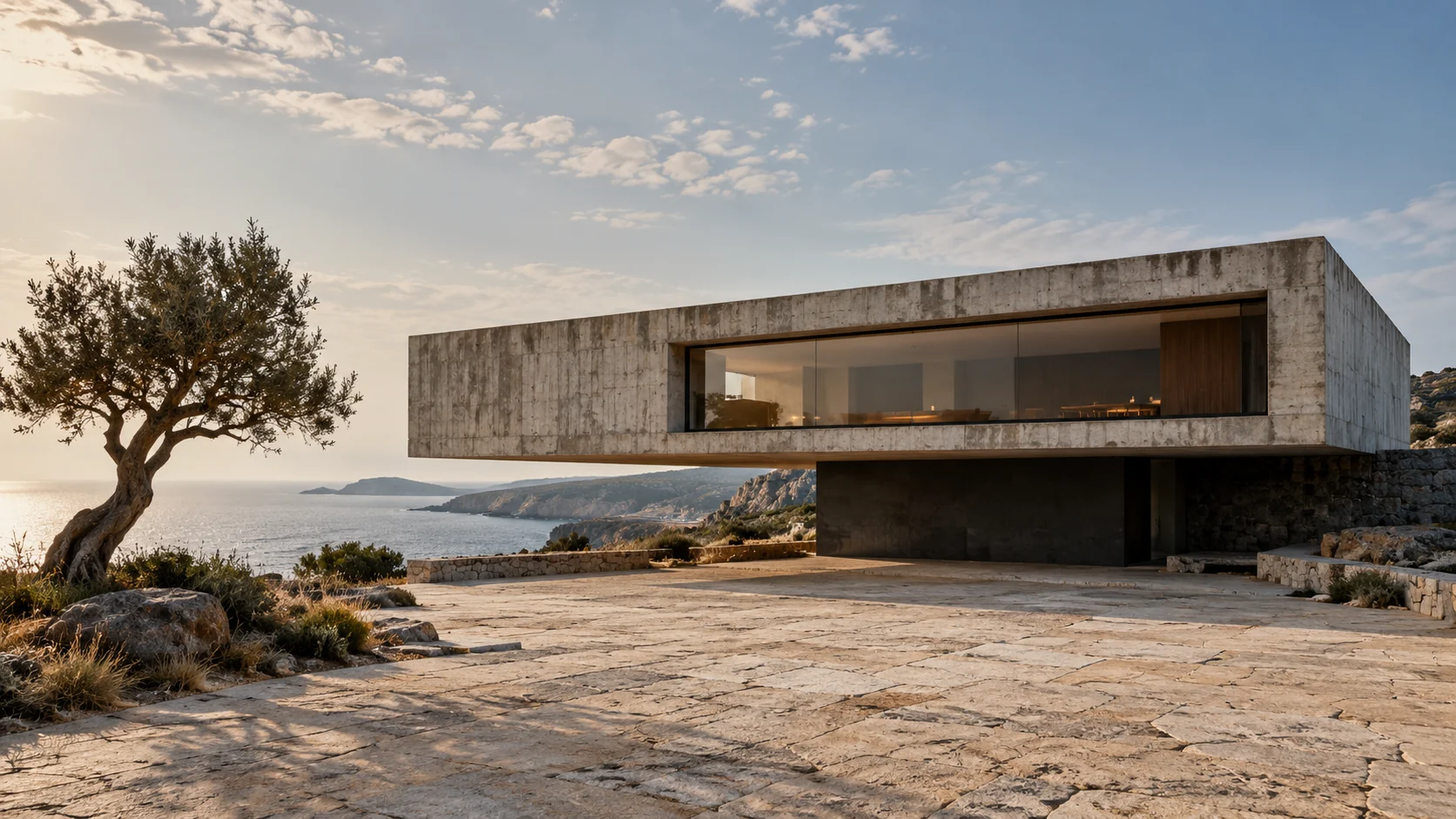
Space is a feeling.
We design for it.
A considered relationship between light, material and the everyday. Casa Forma is a fictional architectural study in making a little more room for life.
Open the architecture case study'use client'
import { useEffect, useId, useRef, type ReactNode } from 'react'
import './scroll-expand-hero.css'
export interface ScrollExpandHeroProps {
eyebrow?: string
title: string
description?: string
/** Decorative artwork only. Keep meaningful information in the text props. */
media: ReactNode
action?: { label: string; href: string }
caption?: string
/** Three short labels for the portrait, panorama and full-scene chapters. */
chapters?: readonly [string, string, string]
className?: string
}
const defaultChapters = ['Approach', 'Perspective', 'Place'] as const
const frameNames = ['PORTRAIT', 'PANORAMA', 'FULL FRAME'] as const
const clamp = (value: number) => Math.min(1, Math.max(0, value))
// Easing is tied to scroll position; it never adds momentum or captures input.
const ease = (value: number) => value * value * (3 - 2 * value)
function nearestViewport(element: HTMLElement): HTMLElement | null {
let parent = element.parentElement
while (parent && parent !== document.documentElement) {
const overflow = window.getComputedStyle(parent).overflowY
if (/(auto|scroll|overlay)/.test(overflow) && parent.scrollHeight > parent.clientHeight + 1) return parent
parent = parent.parentElement
}
return null
}
function decorativeMedia(element: HTMLDivElement | null) {
element?.setAttribute('inert', '')
}
/** A native-scroll composition that moves from portrait to panorama to full scene. */
export function ScrollExpandHero({
eyebrow,
title,
description,
media,
action,
caption,
chapters = defaultChapters,
className = '',
}: ScrollExpandHeroProps) {
const headingId = useId()
const rootRef = useRef<HTMLElement>(null)
const pinRef = useRef<HTMLDivElement>(null)
const titleRef = useRef<HTMLHeadingElement>(null)
const descriptionRef = useRef<HTMLParagraphElement>(null)
const footerRef = useRef<HTMLDivElement>(null)
const railRef = useRef<HTMLDivElement>(null)
const progressRef = useRef<HTMLProgressElement>(null)
const frameLabelRef = useRef<HTMLSpanElement>(null)
const chapterRef = useRef<HTMLOListElement>(null)
const indexRef = useRef<HTMLSpanElement>(null)
useEffect(() => {
const root = rootRef.current
const pin = pinRef.current
const heading = titleRef.current
const footer = footerRef.current
if (!root || !pin || !heading || !footer) return
const reducedMotion = window.matchMedia('(prefers-reduced-motion: reduce)')
let frame = 0
let previousStage = -1
function readPosition() {
frame = 0
if (!root || !pin || !heading || !footer) return
const viewport = nearestViewport(root)
const viewportTop = viewport ? viewport.getBoundingClientRect().top + viewport.clientTop : 0
const height = viewport?.clientHeight || window.innerHeight
const footerHeight = footer.offsetHeight
const contentHeight = Math.ceil(Math.max(
heading.offsetHeight / .62 + footerHeight + (railRef.current?.offsetHeight || 0) + 55,
(descriptionRef.current?.offsetHeight || 0) / .16 + footerHeight + 40,
))
root.style.setProperty('--ac-scroll-expand-view', `${height}px`)
root.style.setProperty('--ac-scroll-expand-content-height', `${contentHeight}px`)
root.style.setProperty('--ac-scroll-expand-footer-height', `${footerHeight}px`)
const bounds = root.getBoundingClientRect()
const travel = Math.max(1, bounds.height - pin.offsetHeight)
const progress = reducedMotion.matches ? 1 : clamp((viewportTop - bounds.top) / travel)
const opening = ease(clamp(progress / .55))
const immersion = ease(clamp((progress - .55) / .45))
root.style.setProperty('--ac-scroll-expand-progress', progress.toFixed(4))
root.style.setProperty('--ac-scroll-expand-opening', opening.toFixed(4))
root.style.setProperty('--ac-scroll-expand-immersion', immersion.toFixed(4))
if (progressRef.current) progressRef.current.value = progress
const stage = progress < .28 ? 0 : progress < .76 ? 1 : 2
if (stage !== previousStage) {
previousStage = stage
root.dataset.stage = String(stage)
if (frameLabelRef.current) frameLabelRef.current.textContent = `${String(stage + 1).padStart(2, '0')} / ${frameNames[stage]}`
if (indexRef.current) indexRef.current.textContent = String(stage + 1).padStart(2, '0')
Array.from(chapterRef.current?.children || []).forEach((chapter, index) => {
if (index === stage) chapter.setAttribute('aria-current', 'step')
else chapter.removeAttribute('aria-current')
})
}
}
function scheduleRead() {
if (!frame) frame = window.requestAnimationFrame(readPosition)
}
document.addEventListener('scroll', scheduleRead, { capture: true, passive: true })
window.addEventListener('scroll', scheduleRead, { passive: true })
window.addEventListener('resize', scheduleRead)
reducedMotion.addEventListener('change', scheduleRead)
const resize = typeof ResizeObserver === 'undefined' ? null : new ResizeObserver(scheduleRead)
let ancestor: HTMLElement | null = root
while (ancestor && ancestor !== document.documentElement) {
resize?.observe(ancestor)
ancestor = ancestor.parentElement
}
for (const node of [pin, heading, footer, descriptionRef.current, railRef.current]) {
if (node) resize?.observe(node)
}
readPosition()
return () => {
document.removeEventListener('scroll', scheduleRead, true)
window.removeEventListener('scroll', scheduleRead)
window.removeEventListener('resize', scheduleRead)
reducedMotion.removeEventListener('change', scheduleRead)
resize?.disconnect()
window.cancelAnimationFrame(frame)
for (const property of ['view', 'progress', 'opening', 'immersion', 'content-height', 'footer-height']) {
root.style.removeProperty(`--ac-scroll-expand-${property}`)
}
delete root.dataset.stage
}
}, [title, description, eyebrow, action?.label, caption, chapters[0], chapters[1], chapters[2]])
return (
<section ref={rootRef} className={`ac-scroll-expand-hero ${className}`.trim()} aria-labelledby={headingId} data-stage="0">
<div ref={pinRef} className="ac-scroll-expand-pin">
<div ref={railRef} className="ac-scroll-expand-topline">
<p>{eyebrow || 'A different perspective'}</p>
<span aria-hidden="true"><span className="ac-scroll-expand-cross">+</span> SCENE <span ref={indexRef}>01</span> / 03</span>
</div>
<header className="ac-scroll-expand-copy">
<h2 ref={titleRef} id={headingId}>{title}</h2>
</header>
{description && <p ref={descriptionRef} className="ac-scroll-expand-description">{description}</p>}
<div ref={decorativeMedia} className="ac-scroll-expand-media" aria-hidden="true">
<div className="ac-scroll-expand-art">{media}</div>
<span ref={frameLabelRef} className="ac-scroll-expand-frame-label">01 / PORTRAIT</span>
<span className="ac-scroll-expand-frame-cross">+</span>
</div>
<div ref={footerRef} className="ac-scroll-expand-footer">
<div className="ac-scroll-expand-project">
{caption && <p className="ac-scroll-expand-caption">{caption}</p>}
{action && <a className="ac-scroll-expand-action" href={action.href}>{action.label}<span aria-hidden="true">↗</span></a>}
</div>
<ol ref={chapterRef} className="ac-scroll-expand-chapters" aria-label="Scene chapters">
{chapters.map((chapter, index) => <li key={index} aria-current={index === 0 ? 'step' : undefined}><span aria-hidden="true">0{index + 1}</span>{chapter}</li>)}
</ol>
<progress ref={progressRef} className="ac-scroll-expand-progress" max={1} value={0} aria-label="Hero scene progress" />
</div>
</div>
</section>
)
}
Installation
Run this in your shadcn-configured React project. The component and stylesheet are added together.
npx shadcn@latest add http://localhost:5173/r/scroll-expand-hero.jsonThis command uses the current site address. For localhost, keep this preview running on the same computer. Files follow your configured components alias.
Usage
Import the component and make the details your own.
import { ScrollExpandHero } from '@/components/anticraft/ScrollExpandHero';

export function Example() {
  return (
    <ScrollExpandHero
      eyebrow="SPACES FOR THE SENSES"
      title={'Space to\nfeel more.'}
      description="Architecture that makes room for a different way of being."
      media={<img src="/images/architecture.jpg" alt="" />}
      action={{ label: 'Explore the project', href: '/projects/casa-forma' }}
      caption={'Casa Forma / Portugal\nA study in living slowly.'}
      chapters={['The approach', 'A wider view', 'Feel at home']}
    />
  );
}Props
| Prop | Type | Default | Description |
|---|---|---|---|
title | string | Required | The visible h2 and section name. Newline characters create intentional line breaks; keep the title concise. Place your page’s h1 elsewhere or adjust the copied source to match your heading hierarchy. |
media | ReactNode | Required | Decorative artwork or an image with alt="". The media wrapper is aria-hidden and inert, so keep all links, controls and meaningful information outside it. Images and videos fill the frame with object-fit: cover. Supply your own local image; /images/architecture.jpg is an example path. Wide artwork with a strong subject near the center-right works well across all three crops. |
eyebrow | string | undefined | A short category or brand introduction above the title. |
description | string | undefined | Supporting introduction at the start of the scene. It translates and fades as the image enters the panorama chapter; it stays in the accessible document throughout. |
action | { label: string; href: string } | undefined | An ordinary anchor with a visible label and a real destination. It supports keyboard activation, modified clicks and opening in a new tab. Replace the sample project URL with a route on your site. The link stays above the imagery and operable throughout the transition. |
caption | string | undefined | Project name and context in the lower rail. Newlines create a second line. Its type gently grows in the full-scene chapter; it stays visible throughout. |
chapters | readonly [string, string, string] | ['Approach', 'Perspective', 'Place'] | Three short chapter labels in the persistent lower rail. The active list item uses aria-current=step. A native progress element reports scene progress without live announcements. |
className | string | '' | Additional classes. Customize --ac-scroll-expand-paper, --ac-scroll-expand-ink, --ac-scroll-expand-muted, --ac-scroll-expand-accent, --ac-scroll-expand-font and --ac-scroll-expand-heading-font. The scene uses roughly 2.3 viewport heights; allow native vertical scrolling and avoid clipping its ancestors. Long text increases the scene height to preserve legibility. At 600px component width, the initial portrait moves beneath the title. |
Motion & accessibility
Native scrolling coordinates a right-side portrait window, a wide central panorama and a full-bleed final scene. The title moves and scales behind the opening frame, the image crop moves with it, the introduction fades, and the project caption grows. Frame annotations and a persistent three-chapter progress rail track the composition. Smoothstep interpolation follows actual scroll position; no wheel or touch events are intercepted and no autonomous animation runs. Measurements are batched to one animation frame and follow the nearest real vertical scroll container. The CTA and caption remain above the image throughout. Reduced motion presents a static full scene with readable title, introduction and CTA, without sticky scrolling. The demo region supports keyboard scrolling and the project action opens a complete local architecture case study.
Use semantic content and meaningful labels in your composition. Check contrast and keyboard behavior with your own styles and content.
Inspiration
FORMAT’s changing canvases informed the coordinated treatment of frame, crop, typography, and annotations. The STILL architecture composition, imagery, and component implementation are original Anticraft work.
Visit FORMAT by ObysThe component source and demo artwork are original to Anticraft UI. The linked site is the design or content reference.